Fill In a PDF Form Online
Fill PDF Form lets you type into the text fields, checkboxes, radio buttons and drop-downs of a fillable PDF in your browser and download the filled file. The PDF is never uploaded.
Ya da bir PDF'i buraya sürükleyip bırakın
Click a field on the page to fill it in. Press Enter or click away to apply.
Your file stays in your browser and is never uploaded.
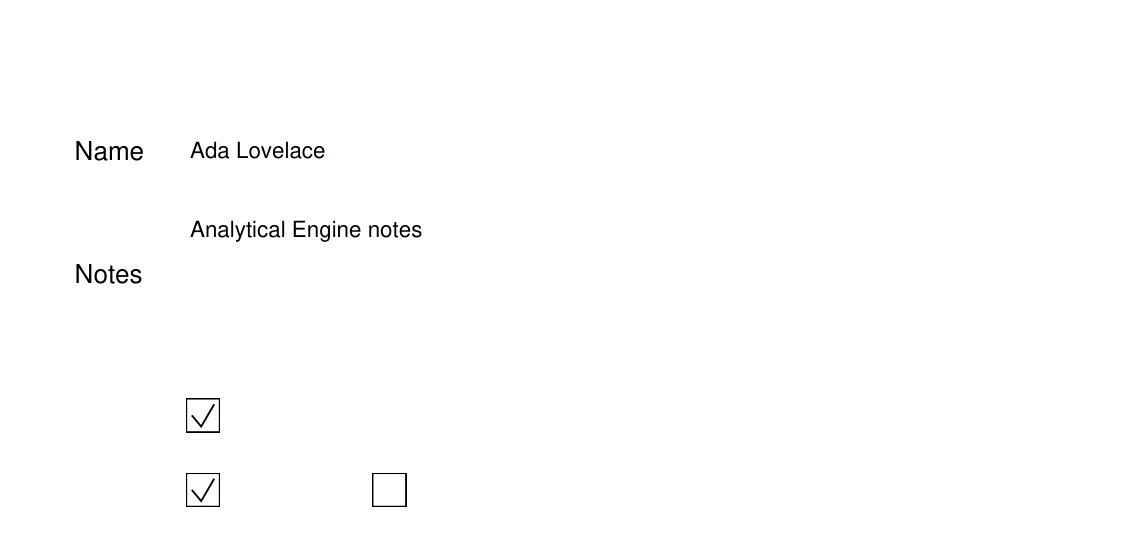
Fill PDF Form lets you complete a fillable PDF in your browser: type into text fields, tick checkboxes, choose a radio button, pick an option from a drop-down, and download the filled file. Fields are filled in place on the page, where they appear in the form, and the page redraws as you go.
It works on PDFs that contain real form fields, called AcroForm fields. Text fields (single-line and multi-line, with their maximum length), checkboxes, radio buttons and drop-down lists are supported. Fields marked read-only are left alone, and push buttons and signature fields are skipped.
The file is processed in your browser with a WebAssembly PDF engine and is not uploaded. Files up to 32 MB open here, and a password-protected PDF asks for its password first. Nothing you type leaves your device.
The result is the same PDF with your entries stored in its form fields, so it can still be edited later. To make the answers permanent and remove the fields, run the result through Flatten. A PDF without form fields, such as a scan or a form printed to PDF, has nothing to type into; Edit PDF changes existing text, and Add Stamp places new text at a position.
Forms built only with XFA, the technology some older government and bank forms use, are not supported. Calculated fields and form scripts are not guaranteed to update as you type, so check totals before you send the file.
Özellikler
- Fill text fields, checkboxes, radio buttons and drop-downs directly on the page
- Runs in your browser; the file is never uploaded
- Opens password-protected PDFs after you enter the password
- Entries stay in the form fields of the downloaded PDF
- Read-only fields, push buttons and signature fields are left as they are
Bu araç ne zaman kullanılır
- Complete a job, tax or insurance form without printing it
- Fill an application PDF on a phone or a shared computer without installing software
- Prepare a form with pre-filled values before sending it on
How do I fill in a PDF form online?
- Open a fillable PDF with the Choose file button, or drop it on the page.
- Click a field on the page and type, or tick a box or choose an option. Press Enter or click away to apply a text entry.
- Check every page, then click Download filled PDF.
- Run Flatten on the result if the answers must not be editable.
Sınırlar ve özel durumlar
- Only PDFs with AcroForm fields can be filled; flat PDFs have nothing to type into
- XFA-only forms are not supported
- Signature fields and push buttons are not filled
- Files larger than 32 MB do not open in the browser
- Calculations and scripts in the form are not guaranteed to run
Örnekler
- A PDF with a name field, a notes box, a checkbox, two radio buttons and a country drop-down shows all five as fillable areas on the page
- A scanned application form opens with a notice that it has no fillable fields
- A filled form downloaded and reopened shows the typed text, the ticked box and the chosen option
Bu araç için gizlilik
Files stay in your browser and are not uploaded. See the Privacy Policy for how the site itself handles cookies and advertising.
Sık sorulan sorular
- Is my PDF uploaded to a server?
- No. The file is opened and filled in your browser and is never sent to our servers.
- Why is there nothing to click on my PDF?
- The PDF has no form fields. Scans and documents printed to PDF are flat. Use Add Stamp to place text on a page, or Edit PDF to change text that is already there.
- Can I make the filled answers permanent?
- Yes. Download the filled PDF, then run it through Flatten, which turns the fields into ordinary page content.
- Does it support digital signatures?
- Signature fields are skipped and keep their original state. This tool fills in fields; it does not sign the document.
- Are calculated fields updated?
- Not guaranteed. Form scripts are not relied on here, so check totals and dates before you send the file.
- What is the size limit?
- Files up to 32 MB can be filled in the browser.
Son güncelleme:
Your file stays in your browser and is never uploaded.